Newsletter
Join the Community
Subscribe to our newsletter for the latest news and updates
Stop wasting time on Google Ads match types with one-click control over your keyword match types.
 Visit Website
Own this tool?
Claim a long-term spot on the Outbid board. No login needed.
your campaigns. If you want “Exact” or “Phrase” match, you have to add extra symbols manually each time, which is time-consuming and tedious.
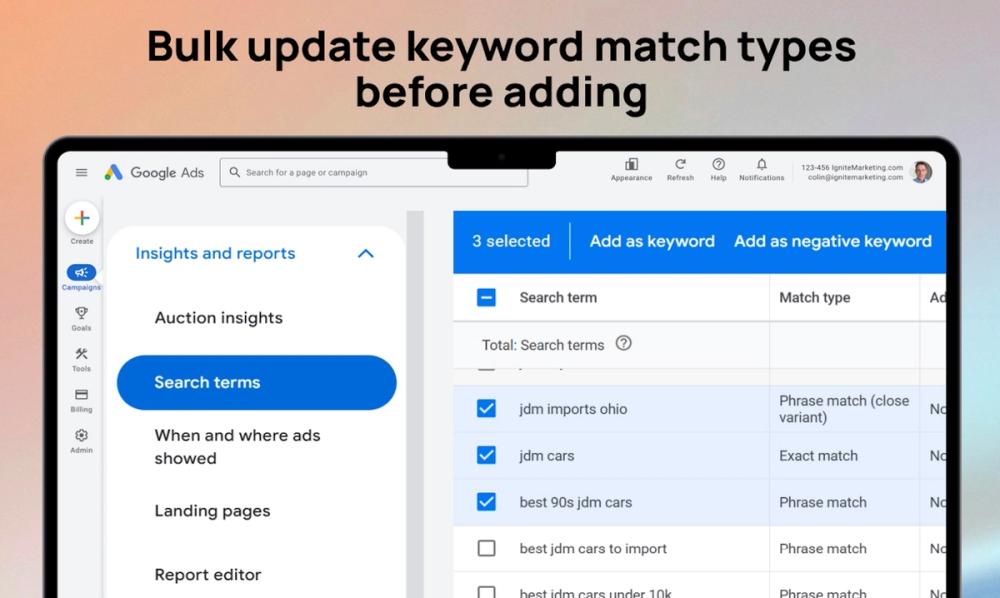
Google automatically sets new keywords to “Broad” match when you’re adding them to your campaigns. If you want “Exact” or “Phrase” match, you have to add extra symbols manually each time, which is time-consuming and tedious.
Our free, privacy-first Chrome extension brings back the match type selector, letting you choose between Exact, Phrase, or Broad match with a single click before adding keywords: