What is Paper Animation?
Turn Images and Words into Paper-Style Animations with Paper Animation
Creating an eye-catching animation for social media often means opening complicated editing software, searching for suitable templates, and spending time adjusting keyframes.
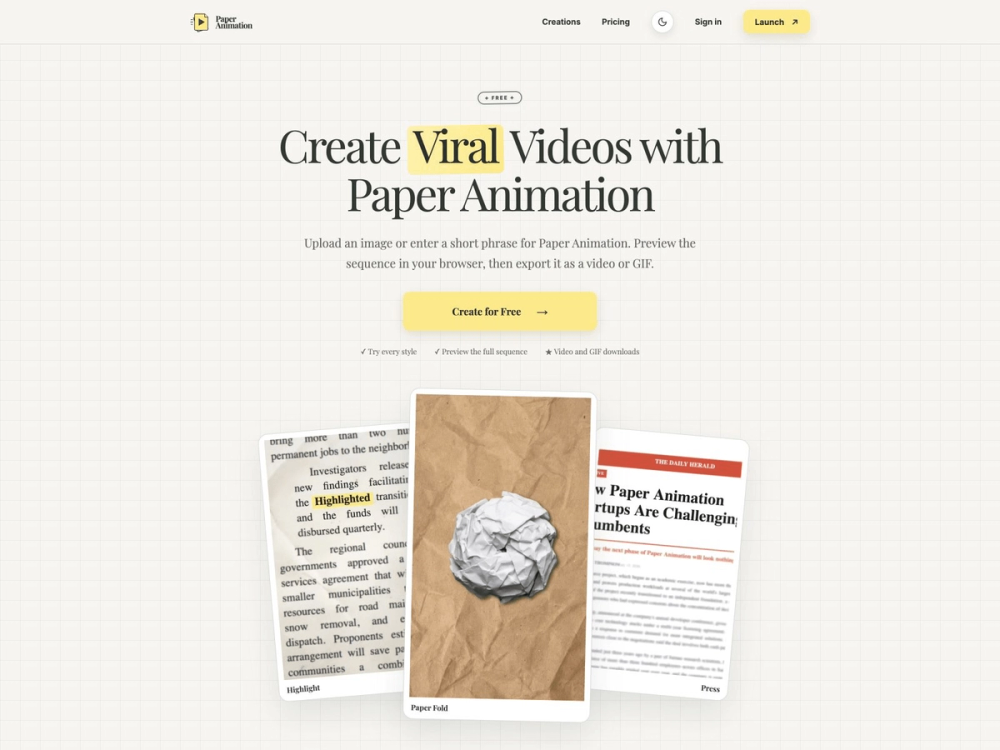
Paper Animation offers a simpler approach. It is a browser-based creative tool that turns images and short phrases into paper-inspired videos and animated GIFs.
Whether you need a product reveal, a newspaper-style headline, a title animation, or a transition for a short-form video, you can create it directly in your browser—without manually animating every frame.
Four Paper-Inspired Animation Styles
Paper Animation currently provides four distinct styles for different creative needs:
Paper Fold
Upload a PNG, JPG, or WebP image and transform it into a textured folding or unfolding animation. This effect works especially well for product reveals, artwork presentations, logos, posters, and video intros.
Newspaper Highlight
Enter a word or short phrase and keep it fixed while different newspaper clippings move around it. The result is a text match cut that can be used for hooks, quotes, announcements, and key messages.
Magazine Letters
Turn text into a moving composition inspired by magazine cutout letters. It gives titles and short messages a handmade editorial appearance that stands out from standard typography.
Press Coverage
Create an animation that presents your phrase through a sequence of newspaper-style layouts. It is a useful format for headlines, milestones, testimonials, launch announcements, and media-related content.
A Simple Browser-Based Workflow
Creating an animation takes only three main steps:
- Choose an animation style.
- Upload an image or enter a short phrase.
- Customize, preview, and export the result.
Depending on the selected style, you can adjust settings such as the number of frames, animation direction, typography, colors, texture, and canvas size.
The editor supports five popular aspect ratios:
- 1:1 for square social posts
- 3:4 for portrait content
- 4:3 for editorial and presentation layouts
- 9:16 for TikTok, Instagram Reels, and YouTube Shorts
- 16:9 for YouTube videos and widescreen projects
You can preview the complete sequence before exporting it as a video or animated GIF.
Useful for More Than Social Media
Although paper-style motion works particularly well in short-form videos, the tool can support many other creative workflows.
Content creators can use it for video hooks, transitions, chapter cards, and quote animations. Marketing teams can animate campaign messages, product images, or event announcements. Teachers and students can highlight important terms in presentations, while podcast creators can turn guest names and memorable quotes into shareable visual clips.
The exported animations can also be added to larger projects in tools such as Premiere Pro, CapCut, Final Cut Pro, Canva, or other video editors.
Final Thoughts
Paper Animation is a focused creative tool rather than a complicated video editor. It takes a small collection of recognizable paper effects and makes them easy to customize, preview, and export.
For creators who want to add tactile folds, newspaper highlights, magazine lettering, or press-inspired motion to their content, it provides a quick way to produce distinctive visual assets without building the animation from scratch.
You can try it here: https://paperanimation.net/